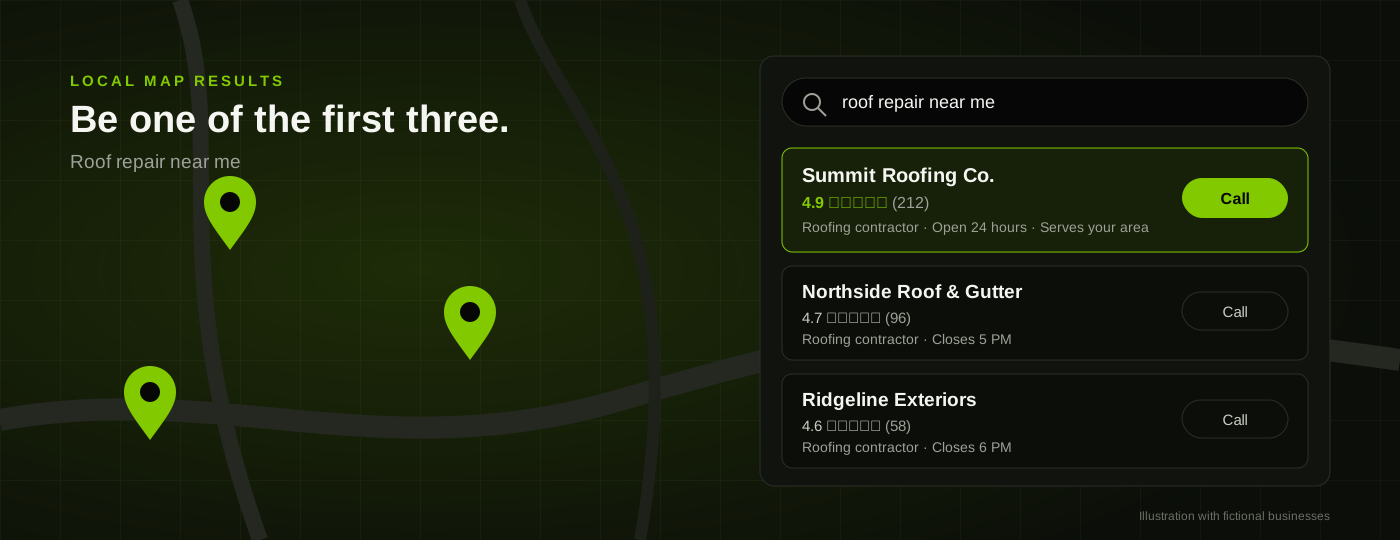
A furnace dies at 9 p.m. The homeowner isn't comparing reviews on page three; they're calling the first company that appears on the map. If it's not you, you're out of luck.
Winning that coveted call is mostly about Google Business Profile optimization: claiming and configuring your free listing so that it appears when someone searches for your work, then maintaining it. It takes an afternoon. Most owners do it once, years ago, and that's it. Here's the play-by-play.
Below is the order in which we would work these tasks for a roofer, HVAC company, plumber, electrician, or pest control service: claim, configure, fill, refresh. If you're not already covering the basics of local search, the first three steps in our small business SEO guide include this profile.
What Is Google Business Profile Optimization?
It means completing and maintaining your free listing so that it appears in Google Maps and the local "map pack" for searches of your service, such as "emergency plumber near me." This includes making sure that your categories, services, service area, photos, reviews, and contact information appear as you want and need them to be found.
It is not about optimizing your website. Your site competes in the regular Google results with other websites. Your listing competes in the local map results with other local businesses. It typically appears above the regular results and displays your phone number, rating, and hours directly in the map without a click. When a neighbor has a leaking pipe, they'll call. They won't click through to your About page.
How Google Ranks Local Businesses
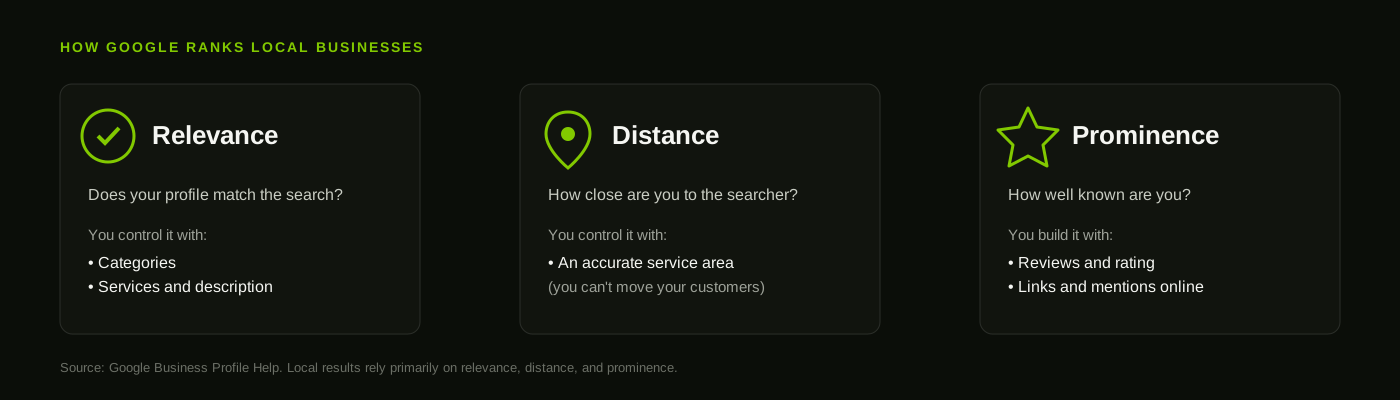
Local results are based primarily on relevance, distance, and prominence.
— Google Business Profile Help
Relevance is whether your listing matches the search. Distance is how far away you are from the searcher or from the location they entered. Prominence reflects how well known you are, which is often driven by reviews and mentions elsewhere on the web.
Distance is what it is, and it can't be helped. It means that a mediocre but nearby competitor can appear first. The focus should be on relevance and prominence, which you control.
Step 1: Claim and Verify Your Profile
Do a Google search for your business name before creating a listing. You may find that a listing already exists for your company, built from publicly available data or claimed by an employee or vendor. This is the one to claim or update. Having two listings can split your reviews and get both penalized.
Set up verification at business.google.com. Google will call, text, or email the business, depending on the type. Set up the listing using a company-owned phone number or email, and avoid personal Google accounts, particularly those that may change if an employee leaves. Add a second owner from your company to the account as a backup.
Step 2: Choose the Right Categories
Categories define what Google knows about your business. Choose a primary category based on the work that you do most, using Google's exact language. An HVAC company that does repairs and installations should select "HVAC contractor," not a narrower category that covers only half of their work. Secondary categories should reflect the other work you do, such as "Heating contractor" or "Air conditioning repair service." Avoid adding categories for work you don't do, as this decreases relevance and can appear misleading. Research the categories your top three competitors use, and follow along.
Step 3: Set Up Your Service Area Correctly
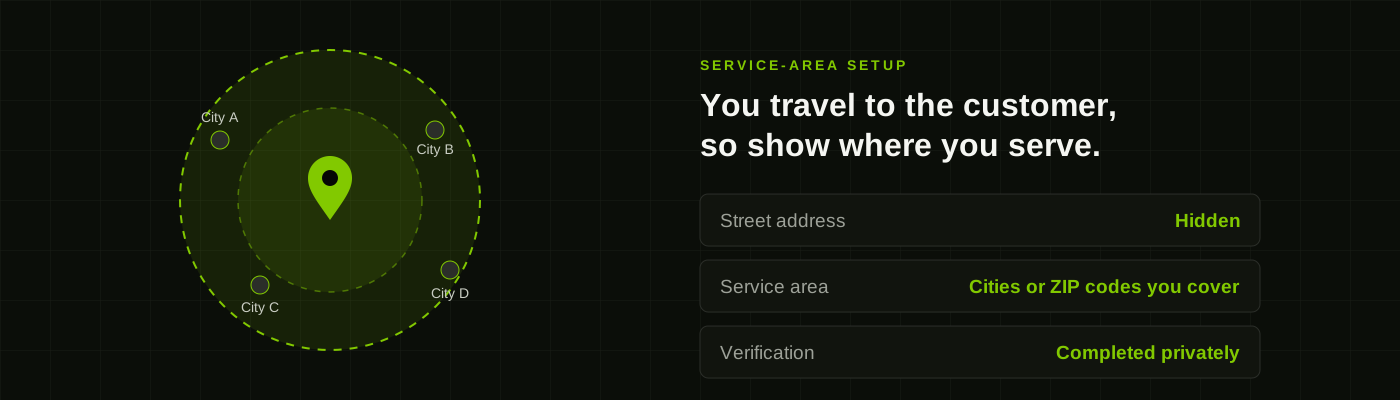
If you don't have a storefront where customers visit you, hide your street address and enter your service area instead. Google's guidelines call for this for businesses without a physical customer location, and it keeps a home address from appearing on the web.
Actually list the cities or ZIP codes you serve. Google's service area help page describes the setup and limits the number that can be entered. Adding every town 90 minutes away will not make you appear there, because of distance.
A showroom, supply warehouse, or store with posted hours is a storefront location, and the address is shown publicly. Match the listing to your type of business, as a mismatch can cause the listing to be penalized.
| Storefront | Service-area business | |
|---|---|---|
| Customers | Visit your location | You travel to them |
| Street address | Shown publicly | Hidden from the profile |
| What you list | Hours and address | Cities or ZIP codes served |
| Typical examples | Showroom, supply counter | Roofer, plumber, electrician, pest control |
Step 4: Fill In Your Business Information
Double-check everything against your website and other listings, since phone number typos kill credibility.
- Business name: Google's guidelines don't allow keywords in the name, and a listing using "Smith Plumbing - Best Emergency Plumber Dallas" can be penalized or removed.
- Phone number: a simple local number that someone can call and answer. Additional numbers, such as call tracking, can appear as secondary numbers on the listing.
- Hours: accurate to the minute, including holidays. Avoid "Open 24 hours" unless someone actually answers at 3 a.m.
- Website: the most relevant page for the service, such as the homepage for a single-service business or a service page for a multi-service company.
Your business name, address, and phone number should be consistent across all platforms, including Yelp, Facebook, Angi, and other directories. The small business SEO guide has more on directory citations and how to check them for free.
Step 5: List Your Services and Write a Strong Description
Most trade profiles are light on this, and you should take advantage of the space to describe what you do. Enter separate line items for the jobs you want to attract, such as "Roof leak repair," "Water heater replacement," "Panel upgrades," and "Termite inspection."
The description field has a 750-character limit. Use it to say what you do, where, and why customers can rely on you, such as being licensed and insured, having 30 years of experience serving the community, or responding the same day to service requests. Mention your primary service and city one or two times each. Avoid offers, links, and keyword-heavy passages, since Google prohibits the first two and customers can spot the third.
Step 6: Add Photos That Showcase Your Work
Of three unfamiliar roofing companies, the one with photos of its work trucks and completed jobs will get the call. Upload your logo and a picture of the crew or work vehicles as the cover photo. Include photos of the team in uniform, before-and-after shots of a roof, a replaced condenser, or a tidied panel, and your equipment. Take them on a smartphone in daylight, and add a few per month instead of 40 at once. Avoid photos with phone numbers on them, and never use stock photos or photos from other companies, since Google can remove them.
Step 7: Get Reviews and Respond to All of Them
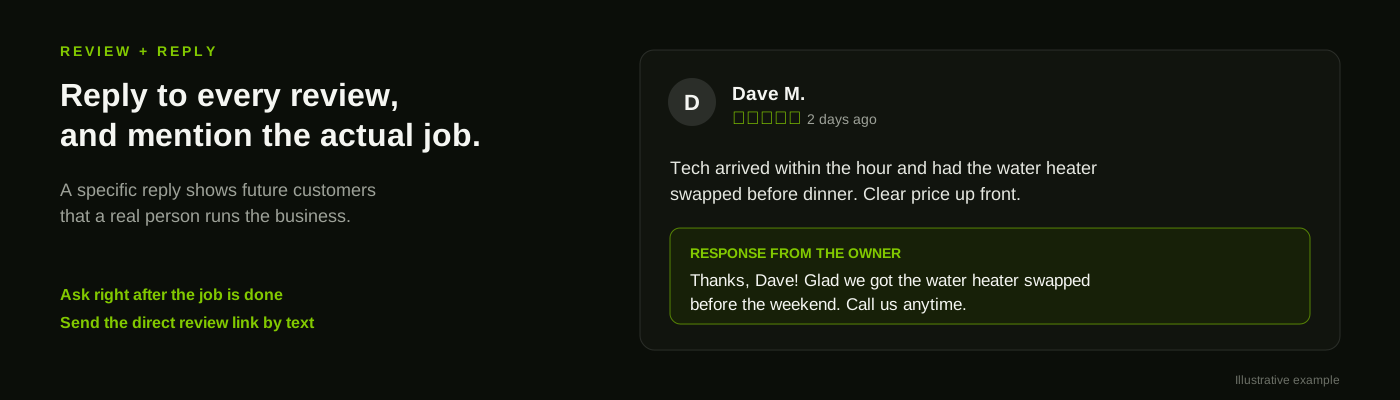
Reviews drive prominence and break the tie between two similar local businesses. Google's help page states that more reviews and positive ratings can improve rankings, and customers read them before calling. Ask for reviews when the work is completed and the customer is satisfied, not three weeks later. Send the review request text from your dashboard, which takes two taps, and make it part of the technician's closing steps. Avoid incentivizing reviews, and never ask only for five-star reviews, since both practices violate Google's prohibited and restricted content policy.
Respond to all reviews within a day or two, and name the job if possible. "Glad we were able to replace that water heater before the weekend" reassures the next customer that a real person is replying. In the case of a negative review, acknowledge the situation calmly and offer to make it right offline. Customers read the response to a review as closely as the review itself.
Step 8: Keep the Profile Updated
A listing that hasn't been touched in two years will look abandoned. Post to the dashboard once or twice monthly with news of a completed project or a seasonal reminder to book a furnace cleaning before the first cold snap. Answer questions in the Q&A section publicly, and if specific questions recur, add the answer to your services or description. Update hours before holidays, and revisit the listing monthly for edits that other people have suggested, since anyone can propose changes to your listing.
Mistakes That Get Profiles Suspended or Buried
A suspended listing will stop all incoming calls until it's reactivated. Here are some common reasons that listings get penalized.
- Keyword stuffing in the business name.
- Multiple or fake locations.
- Using a PO box, virtual office, or shared address as a business location.
- Displaying an address publicly when customers can't visit it.
- Incentivizing reviews or posting fake ones from employees or family members.
- Changing names, addresses, or categories repeatedly within a short span.
If you're taking over a neglected listing, clean it up before adding new content.
How to Track Whether It's Working
The dashboard will show you how many calls, direction requests, and website visits come from your listing. Make a note of these numbers monthly, and use them as a baseline for improvement. Trades are seasonal, so use the same month from last year as a comparison point instead of the previous month.
Add tracking parameters to your website link so that you can see what people do on your site after they arrive from Google. See the Google Analytics 4 setup guide for an overview of tracking.
Open the landing page on a phone to see how it performs. Someone searching from the map is about to book a service, and they won't wait for a slow site to load. The guide to improving website speed has some simple fixes to get started, and it follows the digital growth strategy framework of fixing problems before sending traffic to the site.
What This Looks Like by Trade
| Trade | Primary category | Services to list separately |
|---|---|---|
| Roofer | Roofing contractor | Roof repair, roof replacement, storm damage, gutters |
| HVAC | HVAC contractor | AC repair, furnace repair, new installation, maintenance plans |
| Plumber | Plumber | Drain cleaning, water heater replacement, leak repair, emergency calls |
| Electrician | Electrician | Panel upgrades, rewiring, EV charger installation, lighting |
| Pest control | Pest control service | Ant treatment, rodent removal, termite inspection, mosquito control |
Google updates category labels periodically, so check your dashboard for the latest wording. A few notes on tailoring by trade:
- Roofers: show off completed projects with before-and-after photos.
- HVAC: post seasonal reminders regularly and keep emergency availability prominent.
- Plumbers: keep hours updated, be available to take calls, and collect reviews mentioning fast service.
- Electricians: list every type of service separately, such as panel upgrades, rewiring, and EV charger installation, to target each search.
- Pest control: list each pest and service separately, and remind customers of seasonal risks with regular posts about ants, rodents, and mosquitoes.
Your Google Business Profile Checklist
Want this managed for you? Profile cleanup is part of our local search optimization services. To do it yourself, here's an approximate schedule.
- Day 1: search for existing listings, claim or create yours, and complete verification. Add a backup owner.
- Day 2: set categories and choose service area or storefront.
- Day 3: check name, phone number, hours, and website link against other listings.
- Week 1: add every service separately plus a brief description, and write your 750-character business description.
- Week 2: upload 10 to 15 relevant photos and request reviews from your last 10 happy customers.
- Ongoing: reply to reviews, post monthly, and check dashboard stats.
FAQ
How long does Google Business Profile optimization take to work?
Category, service, and photo updates can appear within days, but you should allow two to three months for ranking improvements to appear. Reviews will take longer to accumulate.
Do I need a physical address to have a Google Business Profile?
An actual address is necessary for verification, but if you serve customers at their locations, you can hide the street address and enter the service area instead. Avoid using a PO box, virtual office, or similar address.
Can I pay to rank higher in the map results?
Ads can appear at the top of the local search results, but the organic results can't be purchased. The ranking is determined by relevance, distance, and prominence. Local Services Ads are a separate, paid program for certain trades.
How many reviews do I need?
Aim to match or exceed the volume of reviews of your top three local competitors. Recent reviews are often seen as more credible than a large volume of older ones.
What should I do if my profile gets suspended?
Review Google's suggested recovery steps, and update the name, address, or categories as needed. You may need to provide additional information, such as a business license or photos of your vehicles and signage, when requesting reinstatement. Avoid creating a new listing, since this can cause further issues.
